 |
 |
|
March 2007
|
issue 7.02
|
|
On Track
|
|
spring ahead ... three weeks early
New Start for Daylight Saving Time
By now most everybody is aware that the dates for starting and stopping Daylight Saving Time have changed. DST is extended by three weeks in the spring, and by one week in the fall. This year DST will start on Sunday 11 March 2007, and end on Sunday 4 November 2007.
By far one of the hottest helpdesk questions we've been getting recently has been with regard to the upcoming change in the start date of Daylight Saving Time. The question is usually phrased as "Is there a patch to Advanced Tracker software for DST?", or "Is there anything special I need to do because of the change of DST date?"
The short answer to both questions is NO.
From our point of view, this Daylight Saving Time event is like all others. The fact that the start date has changed is almost irrelevant. The same principles that have applied for years regarding DST continue to apply.
Windows
As long as your computers have the latest Microsoft patches, the computer's time will change automatically at 2:00 AM local time on Sunday 11 March (or at 0:01 AM in Newfoundland and New Brunswick). See the Microsoft Daylight Saving Time web resources if you are unsure whether your computers are patched: http://support.microsoft.com/gp/cp_dst . If your computer cannot be patched, you will need to change the time manually.
Advanced Tracker Software
There are no patches or new versions of Advanced Tracker programs because of DST. Our software takes its date and time from the computer it is running on. As long as that computer's version of Windows changes the time correctly, or the time has been changed manually, Advanced Tracker software will pick up the correct time when it runs.
Scan Hardware and Software
Another common question is whether your data collection hardware will change its time automatically. Most of the devices display the date and time, and that is the date and time that will be applied to any scans received from the device, so it is important that the device be kept in sync with local time.
All the devices we sell can have their time regulated from the server (whichever computer communicates with the device to do the retrieval). That means that as the server changes its time, the Advanced Tracker retrieval software can update the time on the device. Each device has its own method of keeping in sync with the computer. Some are automatic, while others are optional. Some are immediate; others happen with the next retrieval cycle.
If you have a reason for not keeping the device synchronized with the computer system's time, then you will need to update the time on the device manually. This may be the case if you need the time clock to be a few minutes offset from the real time, or if you have devices in a different time zone from the computer that supplies the time. Contact our helpdesk if you need assistance.
CMI Savetime terminal (gray)
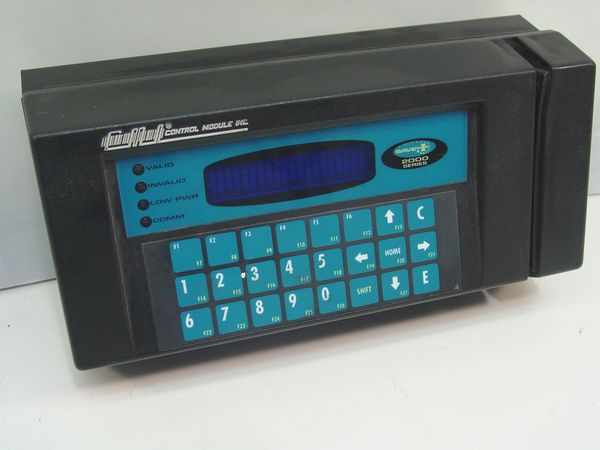 The CMI Savetime clock can have its time updated by the ATG or Retrieve data collection software. If so configured, the time will change with the next data collection cycle after the computer updates its time-of-day.
If you use ATG to retrieve, configure ATG to set the time with every retrieval. Run ATG in Setup mode, go to the Setup > General menu, and enable the 'Update date/time on terminal' checkbox.
If you use Retrieve to retrieve (meaning you are probably using Shop/Labor Tracker), configure Retrieve to set the time with every retrieval. Run Retrieve in Setup mode, and enable the 'Auto Time/Date Check' checkbox.
CMI Savetime terminal for door access (gray)
The CMI Savetime clock, when used as a door-access device, has its time updated by the Access Tracker data collection software with every retrieval. The time will change with the next data collection cycle after the computer updates its time-of-day. No configuration is necessary, but you must do a retrieval.
Retrieval is done manually by you by going to the Operations menu of Access Tracker, and doing either the Retrieve Records operation or the Send Files To Clock operation.
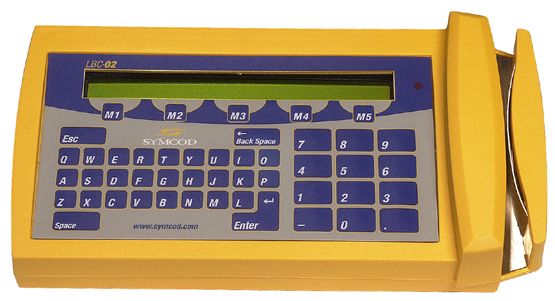 Symcod terminal (yellow)
Automatic. The time on the Symcod terminal is constantly updated from the Symcod communication software. The time will change immediately as the computer updates its time-of-day. No action is required on your part.
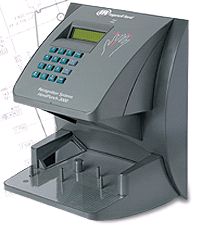 RSI HandPunch
The HandPunch clock can have its time updated by the data collection software. If so configured, the time will change with the next data collection cycle after the computer updates its time-of-day.
Configure ATG to set the time with every retrieval. Run ATG in Setup mode, go to the Setup > General menu, and enable the 'Update date/time on terminal' checkbox.
 Synel terminal (gray)
The Synel clock can have its time updated by the data collection software. If so configured, the time will change with the next data collection cycle after the computer updates its time-of-day.
Usually three separate programs are involved in retrieving scans from the Synel terminal. The main program, usually called SynelPretrieval, controls the other two: Syncomm does the actual communication with the Synel device, and ATG or Retrieve posts the collected scans into the database. Contact the helpdesk for assistance in verifying whether the Syncomm program is currently configured to set the time with every retrieval.
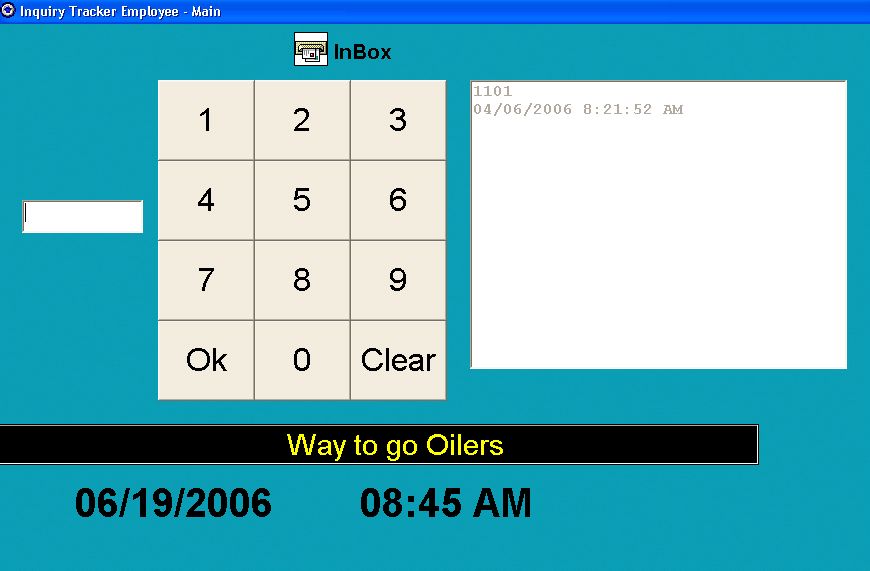 Employee Self Serve / Inquiry workstation
Automatic. The ETINQE software takes its time from the computer it is running on. The time will change when the computer updates its time-of-day.
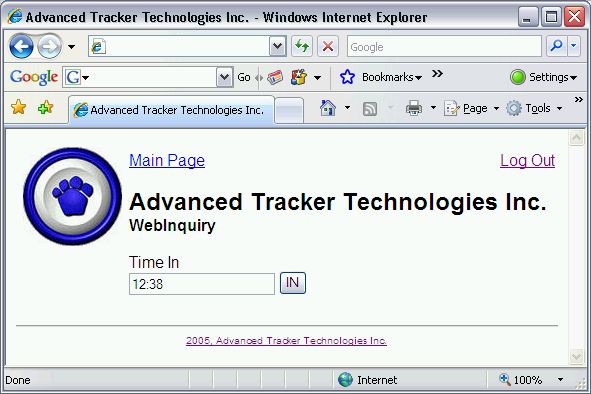 Employee Self Serve / WebInq
Automatic. The web-based inquiry takes its time from the web server that is serving the web pages. The time will change when the server updates its time-of-day. Any scans that occur after the web server changes its time of day will have the updated time.
Other Hardware or Software
If you use hardware or software different from the items listed above, and have questions about Daylight Saving Time, contact our helpdesk.
24×7 Operations
Most companies do not have employees working during the time change. In fact, the reason why the time change happens during the early hours of a Sunday is because that is when the fewest people are working, and therefore when the fewest disruptions are likely to occur.
Nonetheless, there are some companies that must keep running around the clock. For example, health care facilities, and manufacturing operations where equipment must never be stopped. In these situations, a question arises: what do you do in a "24 hour" operation when the day that DST starts has only 23 hours, and the day that DST ends has 25 hours? More to the point, how much do you pay an employee who has worked through the time change?
For example, if the employee clocks in at 10:00 PM and clocks out at 6:00 AM, normally that is an eight-hour shift. But if DST started during that shift, the employee will have actually been working for only seven hours, even though the scan times will still be 10:00 PM and 6:00 AM. Employee Tracker or Shop/Labor Tracker will see this as being an eight-hour shift. Whether you pay the employee seven hours or eight depends entirely on your company policy or union agreement. To pay the employee eight hours, there is nothing you need to do. But to pay the employee for only seven hours (or nine hours in the fall), you must override the Time value of the shift.
Change Your Smoke Alarm Batteries
An easy way to remember to change the batteries in your smoke alarms and carbon monoxide detectors is to change them when you change your clocks for Daylight Saving Time. While you're at it, you may want to prepare or restock an emergency supply kit for your office, home or vehicle, and check and discard expired medications.
press * now if you have a rotary phone ;^)
Telephone System Is Working Again
We thank you for your patience with us last week while our telephone answering system was out of order. Everything is back to normal now.
Our telephone extensions are still the same. You can see a full contact list on the web.
about your On Track subscription
This newsletter was sent to ENMFIRSTNAME (ENMEMAIL). To change your email address, unsubscribe from your old address and resubscribe using your new address. See below for instructions.
Back issues of On Track are available online at www.advancedtracker.com/ontrack
To unsubscribe
If you received this newsletter in error, or no longer want to receive it, click here, or send an email to e-news@advancedtracker.com with the word remove in the subject line.
To subscribe
If someone forwarded you this newsletter and you want to start getting your own copy, click here, or send an email to e-news@advancedtracker.com with the word subscribe in the subject line.
Privacy promise: we will not sell, lend, rent, or share your email address with anyone else.
Phone us toll-free at 1-888-531-3774 ext 226 (or 604-531-3774 in the BC lower mainland). Fax us at 604-535-8013.
© copyright 2007 by Advanced Tracker Technologies Inc.